YOUR VOICE. LESS EDITING.

A lot to say.
Clips worth watching.

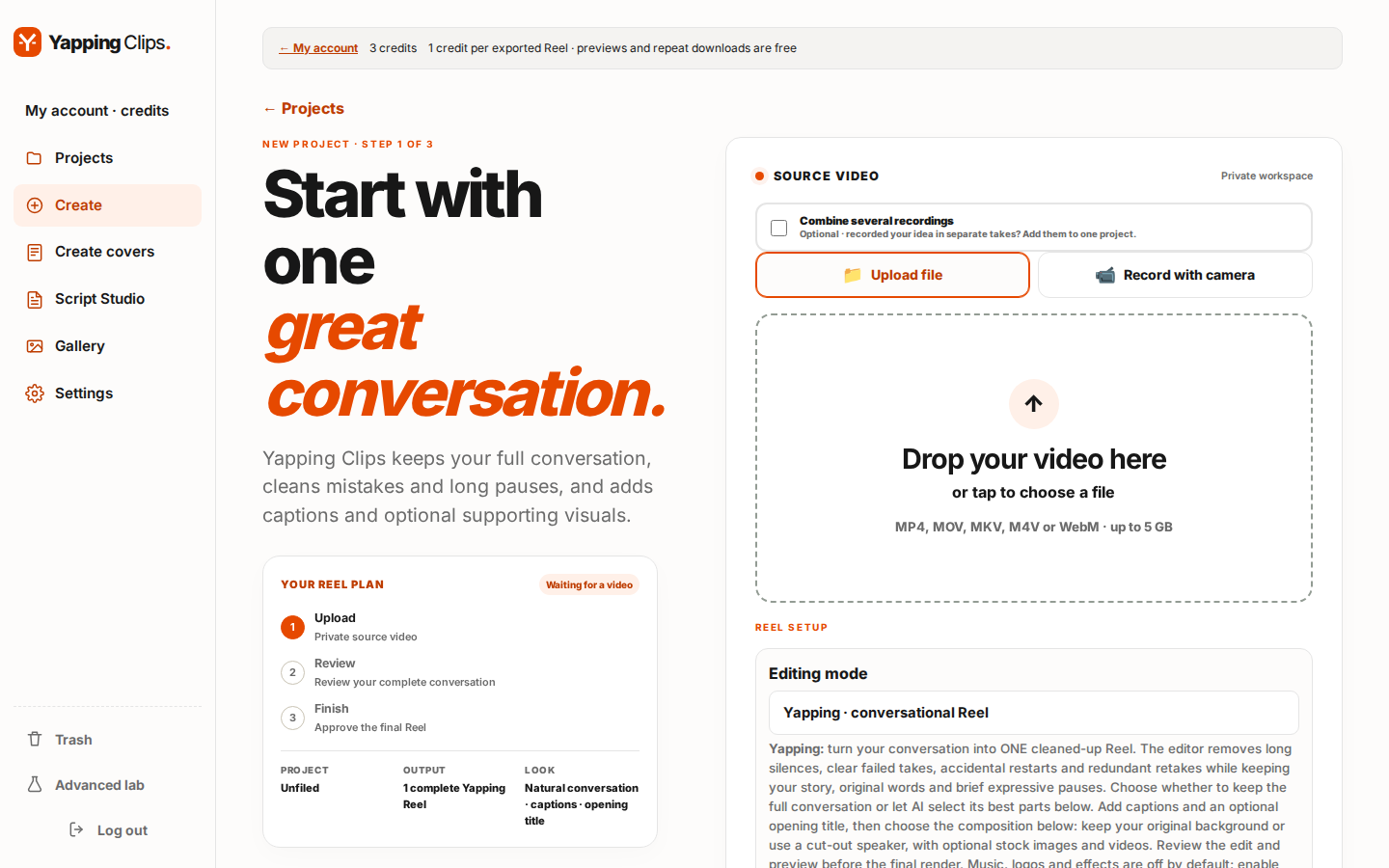
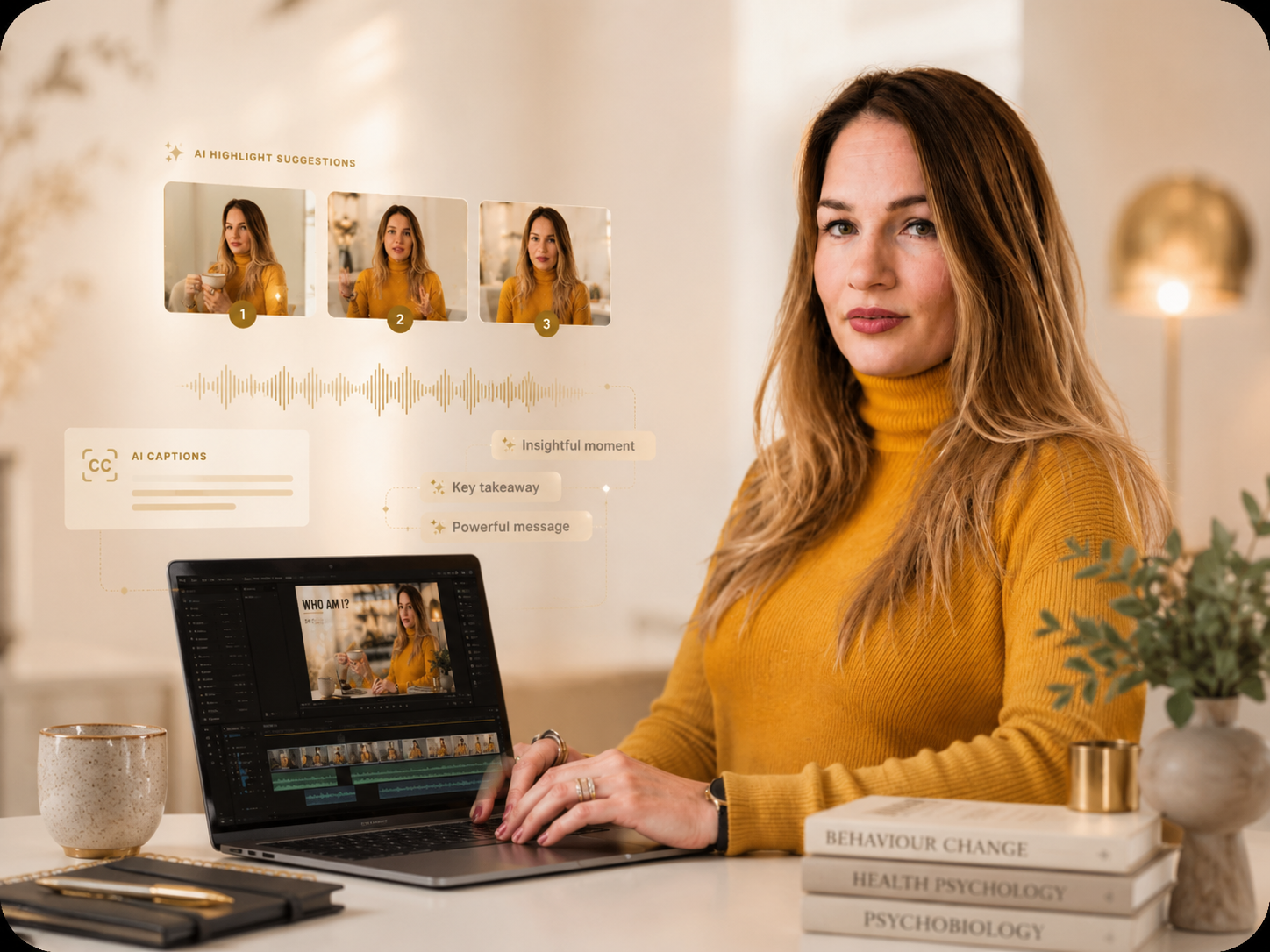
Turn your recording into a vertical reel: AI selects moments, cleans up pauses and repetitions, reframes the video, and adds captions with highlighted keywords.

Plus Script Studio, Voice DNA, a timeline editor and Cover Designer — from the first idea to the final post.

Made forReels/TikTok/Shorts
ONE VIDEO. MORE POSSIBILITIES.01 — 03
019:16
YOUR IDEA
MATTERS.
00:32
029:16
LESS NOISE.
MORE YOU.
00:46
039:16
SOMETHING
TO SAY.
00:28
THE MOMENTS THAT MATTER↳ your way
✳

Your content. Your style.Illustrative editing workflow.

01 Your voice, always02 Captions that follow your voice03 Ready to share

MORE THAN A CLIP MAKER

Your whole creative workflow.

Before you record. While you edit. When you share.

Start with a recording or a fresh idea. Plan your words, shape the edit, and design the cover in one workspace.

01 / FIND YOUR STORY

Clips worth staying for

Keep your full conversation or select the best parts. Clean up pauses, false starts and repetition while preserving the main ideas and their context.

  • Standard and Yapping, with different compositions
  • Keyword highlights, caption colours, size and shadow
  • Optional opening title, supporting visuals and music
Explore clip editing

02 / BEFORE YOU HIT RECORD

Scripts that sound like you

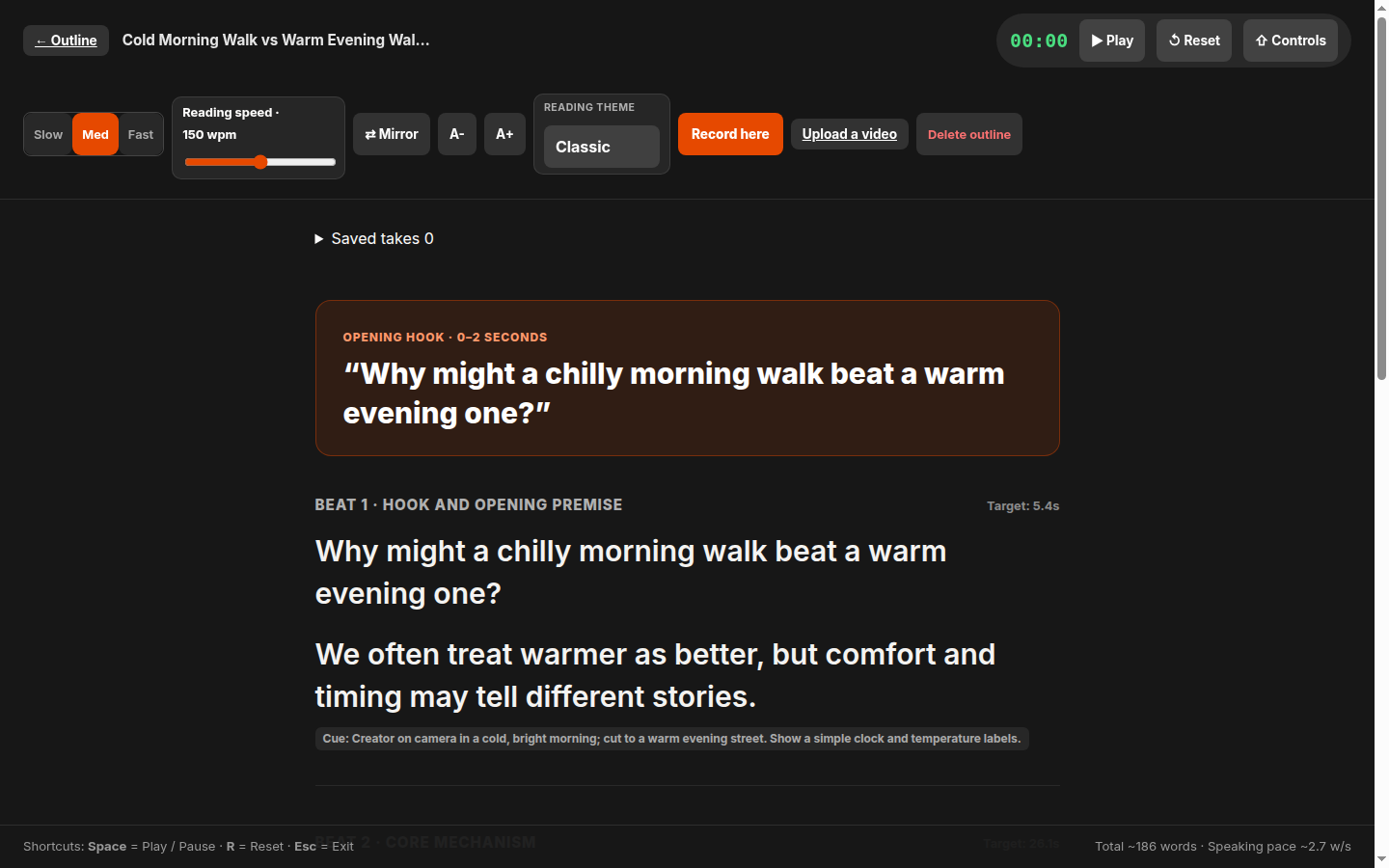
Give Voice DNA your writing and spoken material to build a reviewable style profile. Use it in Script Studio to plan hooks, talking points and visual cards.

  • Your own voice rules and reference materials
  • Research papers and review sources before recording
  • Built-in teleprompter and recorded takes
Plan my next script

03 / MAKE IT YOURS

Your creator studio

Go beyond the first export. Fine-tune your captions and look, replace individual visuals, and create a cover that belongs on your profile.

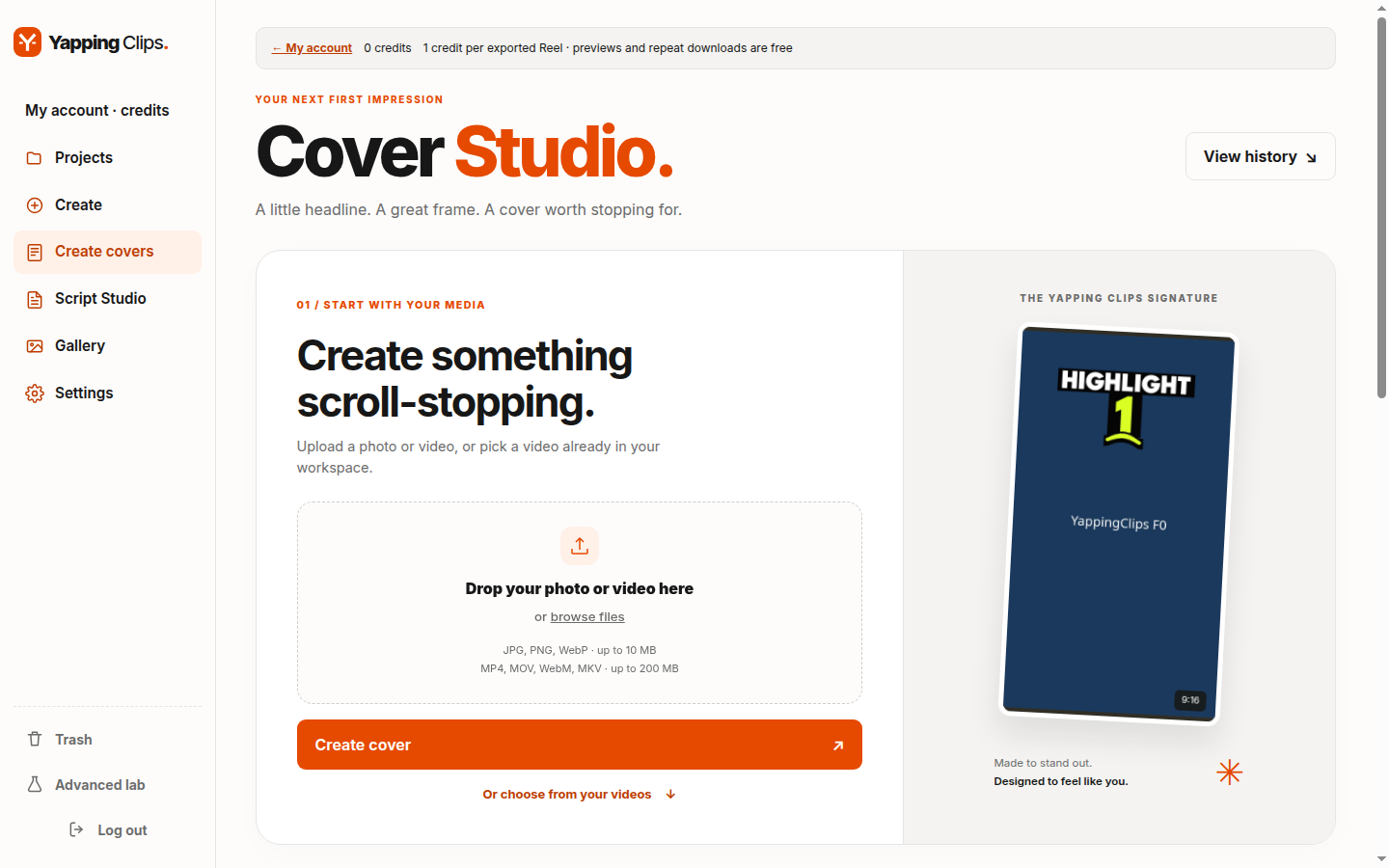
  • Cover Designer: layouts, typography and palettes
  • Timeline, filmstrip and audio waveform
  • Optional beauty, colour adjustments and new versions
See the creative tools

AI writing needs a connected AI provider. Offline planning remains available without one.

Illustrative interface examples

THE FINISHING TOUCHES

Keep control of the details.

Choose original background or supporting visuals. Search stock images and videos, preview replacements, and change several moments in a new version. Keep previous versions to compare.

INSIDE YOUR WORKSPACE

See the real studio.

Actual product screens from a demo account. Explore the tools behind your next post.

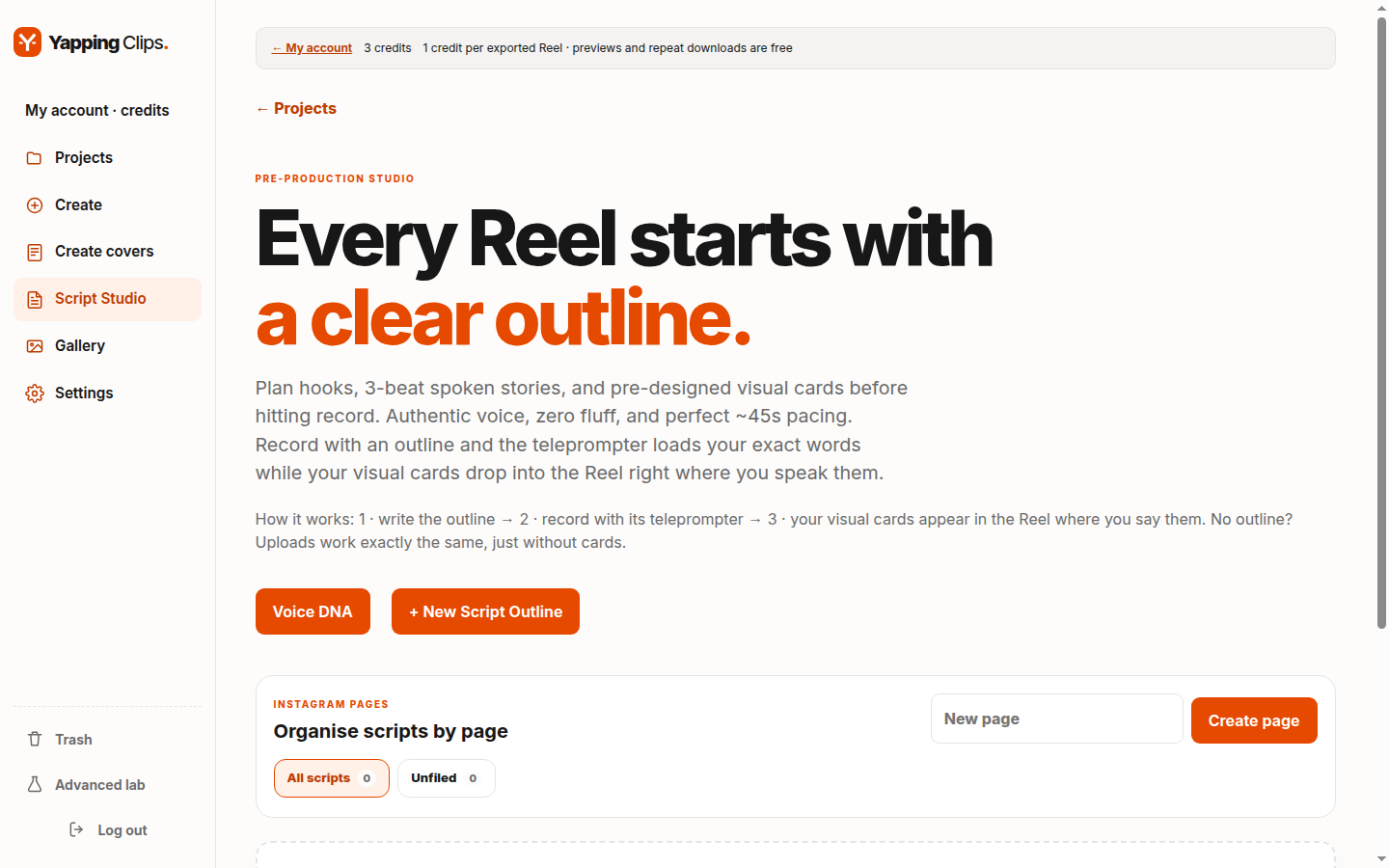
Script Studio showing the outline workspace and Voice DNA button View screenshot

Plan before you record

Script Studio brings your outlines, Voice DNA and recording workflow together.

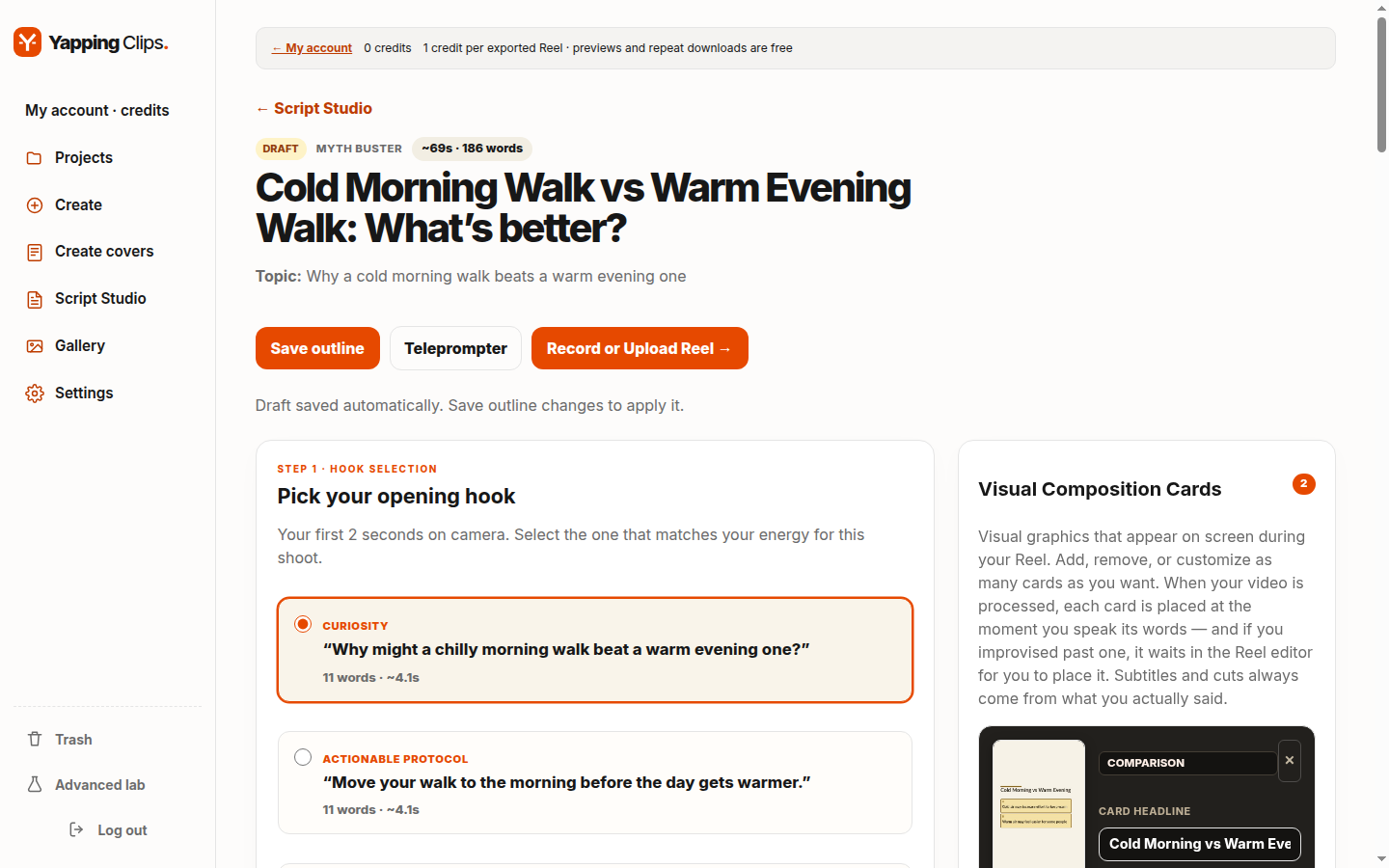
Outline with hook selection and visual composition cards View screenshot

AI-generated outline

Pick your opening hook, review the step-by-step structure and place visual cards before you record.

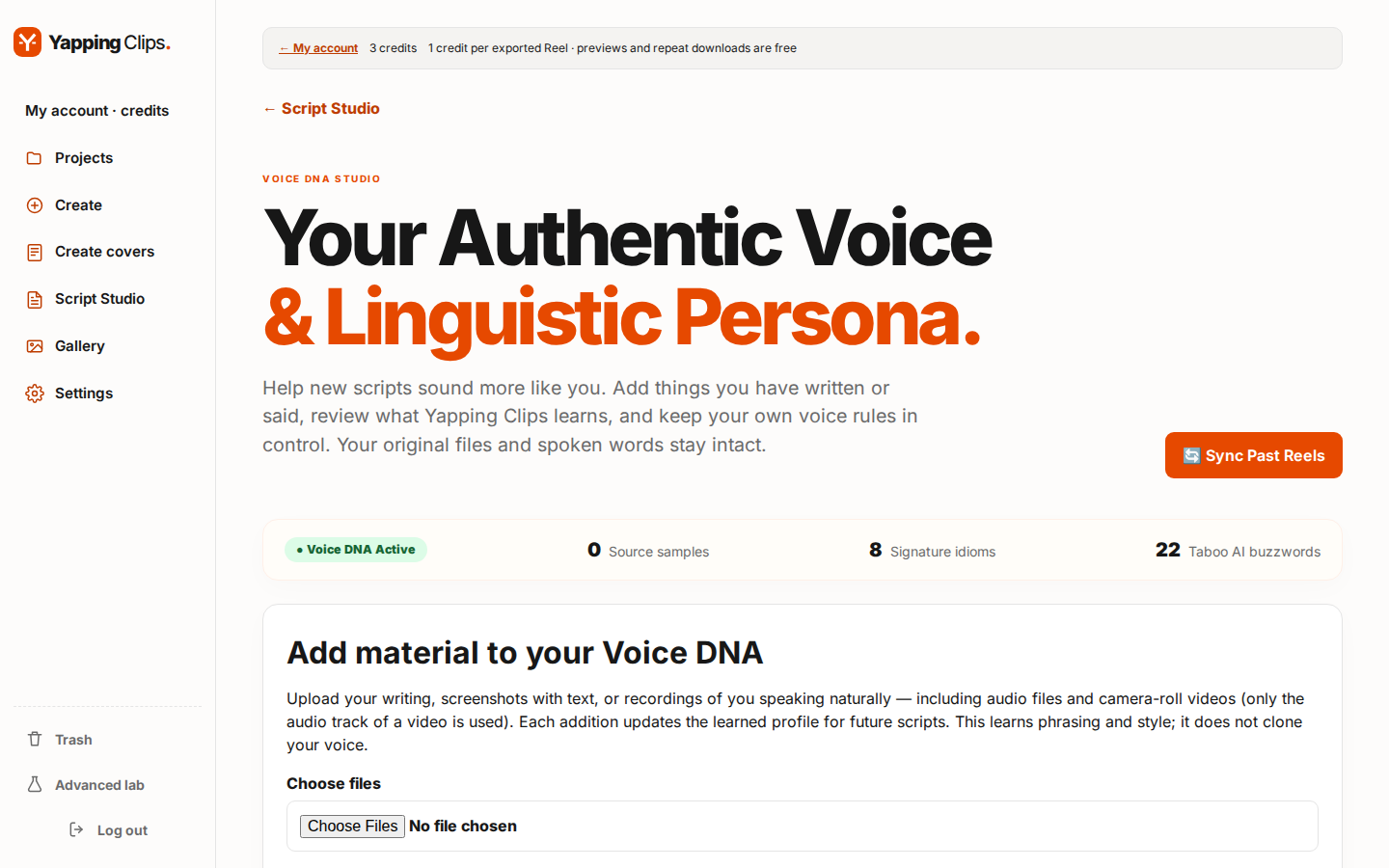
Voice DNA Studio with reference materials and style profile View screenshot

Voice DNA: sound like you

Add your own writing and recordings and review what Yapping Clips learns about your style. Your originals stay intact.

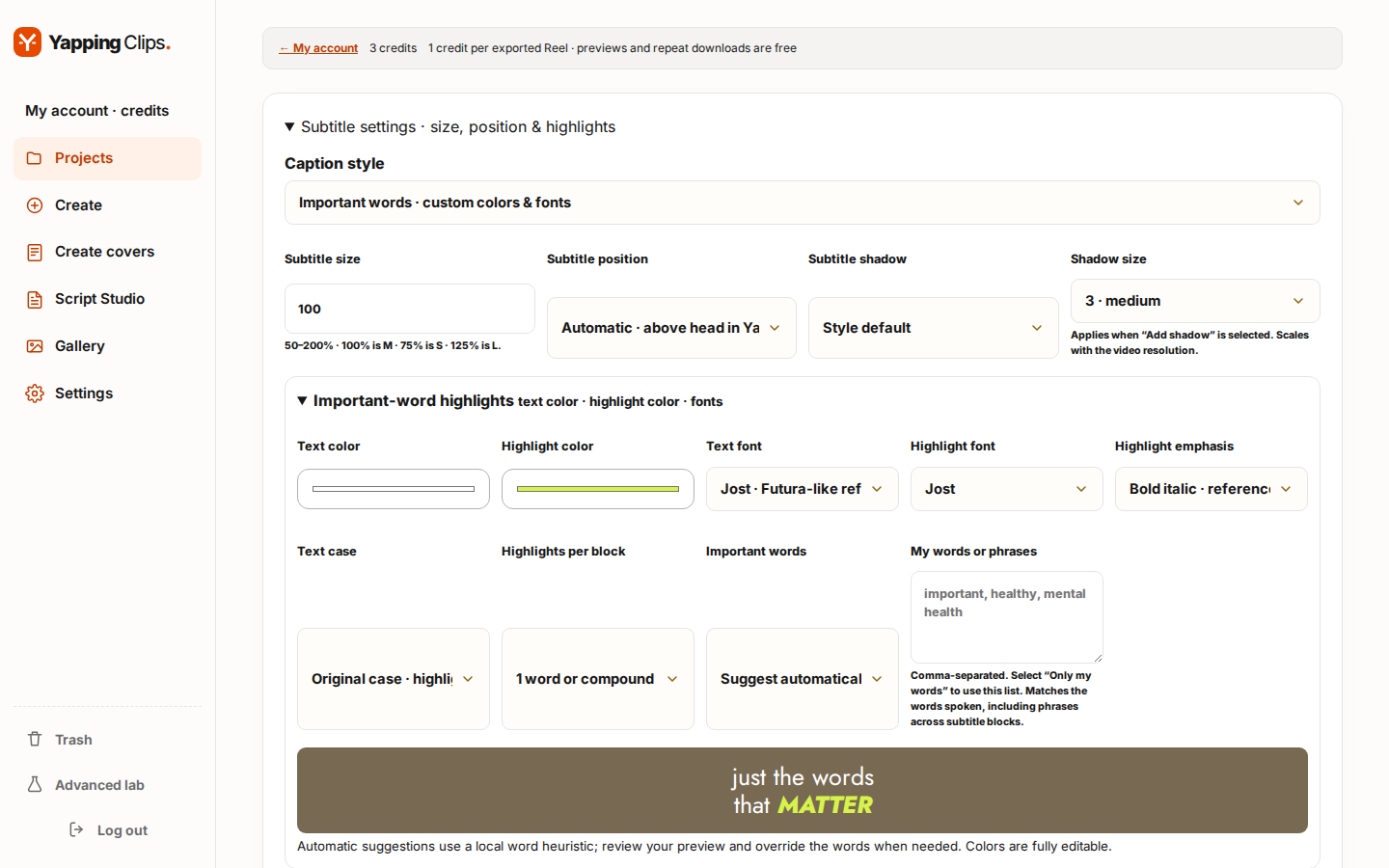
Reel editor with caption, colour and font controls View screenshot

Reel editor: the finishing touches

Caption size, position and shadow, highlight colours and fonts — all on top of the cut you already approved.

Yapping mode in Create with composition options View screenshot

Yapping compositions

Full frame with your original background or a cut-out speaker, with optional supporting images and videos.

Cover Studio with media upload and a synthetic sample cover View screenshot

Give your Reel a cover

Start with a photo or video and prepare a cover for your profile grid.

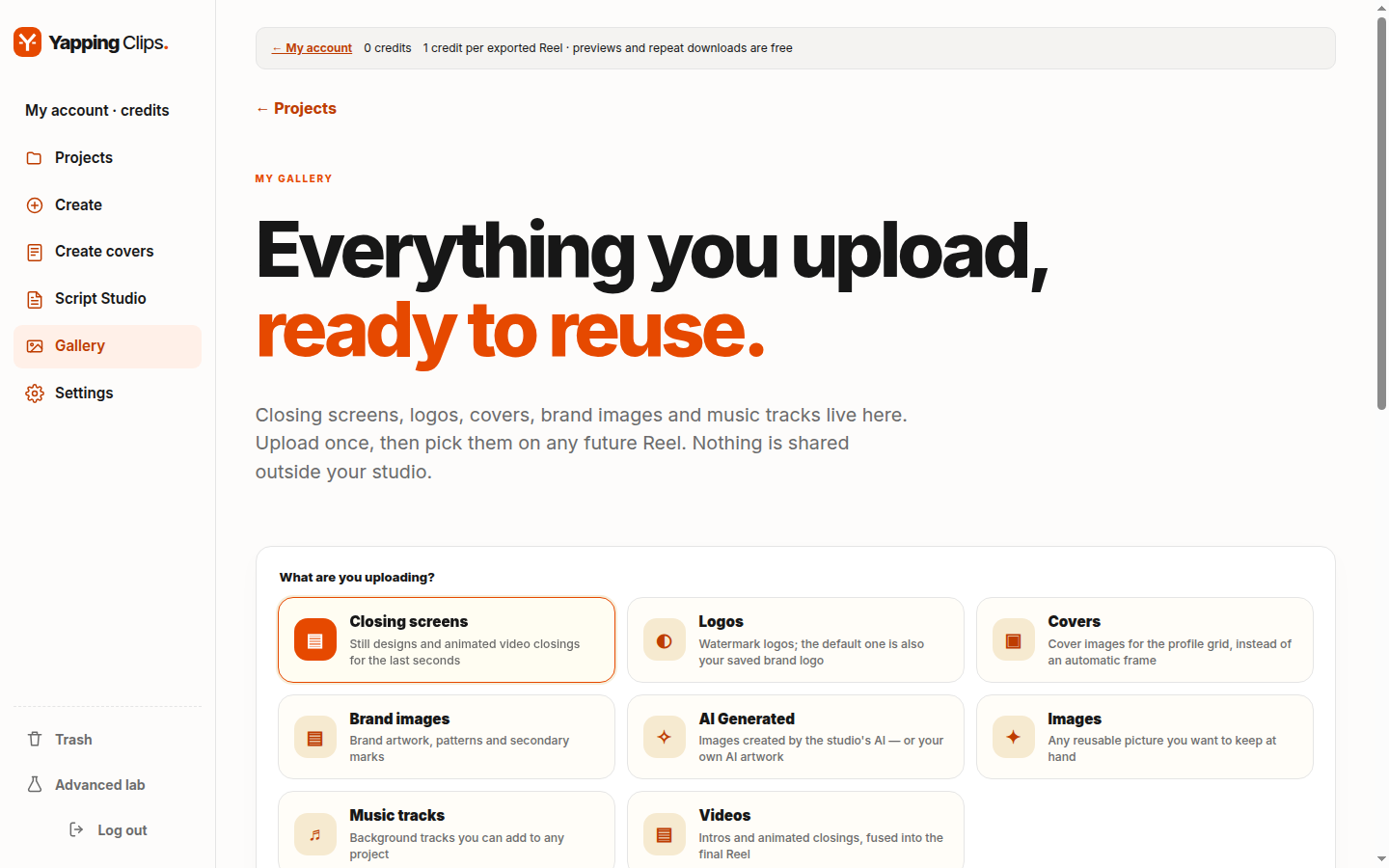
Gallery showing categories for reusable media View screenshot

Keep your materials ready

Reuse your logos, music, images, videos and closing scenes across projects.

Screens shown in English. Demo content. Select a screenshot to enlarge it.

Open full size ↗

THE EDIT YOU SHOULDN’T HAVE TO DO BY HAND

Fewer pauses.
More of what you mean.

AI looks for meaningful moments and cleans up unnecessary silences, false starts, and repetitions. The aim: a tighter story that keeps the idea and its context.

01 / THE RECORDING

The idea is… [long pause] the idea is, um, you don’t need to record more. You need to make more of what you already have.

Illustrative source transcript

02 / THE IDEA, CLEARER

The idea is you don’t need to record more. You need to make more of what you already have.

Illustrative cleanup example, not an actual output
01

From talking to telling a story

Moment selection and speech cleanup in one workflow.

02

Words people can follow

Synchronised captions and keyword highlights that follow your voice.

03

From source to vertical

Reframing to bring your recording to Reels, TikTok, and Shorts.

YOUR WORDS DESERVE TO BE SEEN

Your voice.
With words that stand out.

Your reel includes captions with highlighted keywords. Try how a different colour or size changes the way they read.

Style demonstration. Customise your captions in advanced Create and your project editor.

STYLE EXAMPLE

you have something
worth SAYING

Highlight colour

YOUR EDITING STUDIO

More ways to
make it yours.

Open advanced Create to choose your video style, or open the editor from your project to adjust the result.

ADVANCED EDITOR

Choose how much to keep

Best parts or your full conversation with pauses, mistakes, and repetitions cleaned up.

ADVANCED EDITOR

One Yapping, different layouts

Full frame, split screen, or a background-free speaker over supporting visuals.

ADVANCED EDITOR

Captions your way

Font, colours, size, shadow, and position, including captions above your head.

ADVANCED EDITOR

Adjust without starting over

Edit revisions and replacement of individual supporting images or videos.

FROM RECORD TO SHARE

You do the talking.
We make the rest easier.

You shouldn’t have to start from scratch every time you post.

01

Bring your video

A conversation, an interview, or just you and the camera. Start with footage you already have.

02

Find what’s worth keeping

AI analyses your content and prepares a cut around the moments with something to say.

03

Download it. Then share.

When it’s ready, find the download link in your project. Take your clip to your favourite platforms.

LESS FRICTION. MORE PERSONALITY.

Make it feel like you.
Because it is.

Automate the repetitive part. Keep your personality.

Try Yapping Clips

Every word in its place

Word-timed captions that follow the audio in your video.

A stronger opening

An opening hook that introduces the idea behind your clip from the start.

Made for vertical

Clips for Reels, TikTok, and Shorts from your original videos.

Your own creative space

Your projects, downloads, and credits together in your own account.

AT YOUR PACE

A good clip.
One credit.

Check your balance and usage history in your account.

TO GET STARTED

0 €no credit card

Your first step

3 credits included when you create an account.

Start free

IN CASE YOU’RE WONDERING

A few things, cleared up.

Do I need editing experience?

No. Upload your video and the system prepares the cut and captions. When it’s done, download the result from your project.

Where do I find my clip?

Open Projects in your account. Once processing finishes, your project page shows a download link.

Where can I post my clips?

Download your vertical clips to share on Instagram Reels, TikTok, and YouTube Shorts.

Is my video used to train models?

No. Your video is processed to create your clips under our privacy policy. You keep the rights to your content.

YOUR NEXT CLIP STARTS HERE

You already have something to say.
Give the world a clip.

Start with 3 free credits